Showing posts with label CS-MARS. Show all posts

Thursday, January 18, 2007

Archiving - Remote Storage Capacity in Days

I blogged a couple of weeks ago, regarding the Remote Storage in Days value, when Archiving.

I had come across an error, where by only a single directory was being created, and no data.

I believed at the time it was due to the Remote Storage Capacity in Days value. I had some comments on this, so i thought i would test this out.

So i set my archiving value to 1 day


And let it run for a couple of days. The correct operation is that, older data will be deleted from the NFS Archive, and from my tests, Yep, that is what happens!


So as can be seen, 1 full days archive is still present on the archive server.

So i have pulled the previous article, as it is complete garbage, but i still havent figured out, what caused it!

Still on the subject of Archiving, i received an email from Nathan, who has had an archiving problem recently, on the new 4.2.3 code. He was archiving to a Windows box running Windows Services for UNIX.

He found that the directories were being created, but no data was actually being stored. Looking into his NFS log file on the windows box, he found..

01-17-2007 11:41:31 CREATE SUCCESS 10.X.X.X \DosDevices\C:\archive\testNfsServer
01-17-2007 11:41:32 DELETE SUCCESS 10.X.X.X \DosDevices\C:\archive\testNfsServer
01-17-2007 11:41:37 CREATE SUCCESS 10.X.X.X \DosDevices\C:\archive\testNfsServer
01-17-2007 11:41:38 DELETE SUCCESS 10.X.X.X \DosDevices\C:\archive\testNfsServer
01-17-2007 11:41:43 CREATE SUCCESS 10.X.X.X \DosDevices\C:\archive\testNfsServer

All seemed fine, except there were no WRITE statements in the logs.

The archive process had hung in some fashion and the solution was restarting the MARS services "pnstop > pnstart" and everything went back to normal.


Tuesday, January 16, 2007

CS-MARS with the Cisco VPN Concentrator

The Cisco ASA Firewall/VPN device maybe at the forefront of most Cisco VPN deals recently, but there are thousands of Cisco VPN Concentrators in use around the world.

And coming back to the Integration Series, MARS will accept Syslog from these devices.

Now MARS knows over 150 different events, that can occur on the VPN Concentrator, with a few shown below.


And looking further into the actual events, we can see there is a varied range, of not just Admin logon or off events, but also VRRP, Webvpn etc.


Now looking at an easy to fire Incident, which in this case would be an authentication failure for an Admin account, we can see the reporting device, the rule which fired, and also the actual user that failed authentication.


With the RAW Event message forwarded by the VPN Concentrator.


Now the benefit of any event management system is the ability to query the data, either historical events or in real time.

Below i have run a real time query, but searching for a particular event type, which is to report the VPN Client application version.


But we can query on any source/destination ip, from any number of devices, and also use keywords in the queries. As this last example shows looking for a particular VPN group..


If this post has been of interest, you may also find these posts useful as well, which i have previously posted.

Cisco MARS Integration with McAfee ePO
Cisco MARS Integration with SNORT
Cisco MARS Integration with the Cisco Security Manager - Policy Lookups

And also remember you will find some live demos and PDF copies of some articles over at the Demolabs website.

Monday, January 15, 2007

Custom Apps running on the Network

Say you have a custom application, or a 3rd Party application running on the network, with TCP/UDP ports unknown to MARS.

When an incident is created for whatever reason, and you click on the port information, you will get a blank screen.


Ok, so how do we tell MARS a bit more about the ports in use on our network? Well by simply defining a service.

If we go into Management and then Service Management, we can add the particular service to our MARS box....


And once Activated, when ever we see that particular port again, and query that on the MARS box, we get that little bit of useful information back.


Great for when you may have multiple admins, who dont necessarily know the full extent of applications running on the network.

Thursday, November 16, 2006

CS-MARS using SNORT Sensors


Using open source SNORT with Cisco MARS


I`m sure everyone has heard of the free open source IDS/IPS product Snort. You may even have it running somewhere on your network. Well the great news is that CS-MARS supports Snort right out of the box.

I`m not going to go into much detail on how to configure Snort, but there is plenty of documentation on the Snort.org website. See www.snort.org/docs/

Snort Setup

In brief, we need Snort`s output to go to syslog with the log facility local4. Configure this in snort.conf (usually in /etc/snort)

output alert_syslog: LOG_LOCAL4 LOG_ALERT

And add a redirector in the syslog.conf file to send the syslog to the MARS appliance.

local4.alert @x.x.x.x (where x.x.x.x is the IP of the MARS appliance)

Restart the box, or just the Snort daemon and syslogd daemons, and we are ready to add your Snort sensor to MARS.

CS-MARS Setup

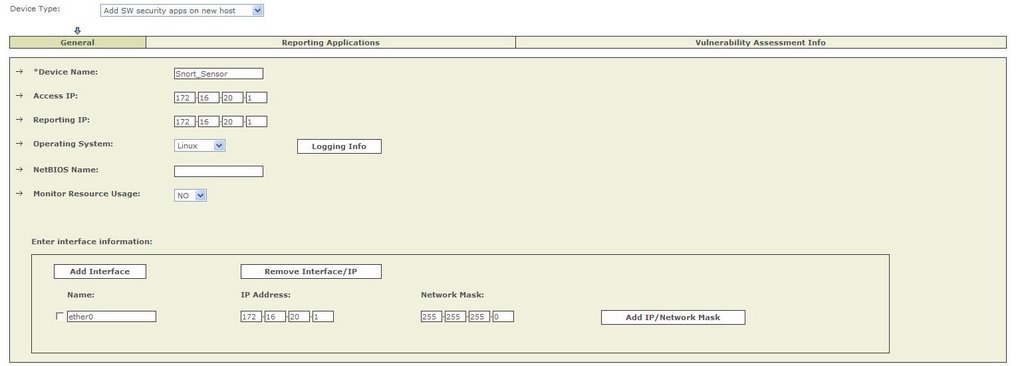
We set up the Snort sensor, as a SW Security apps on a new host.


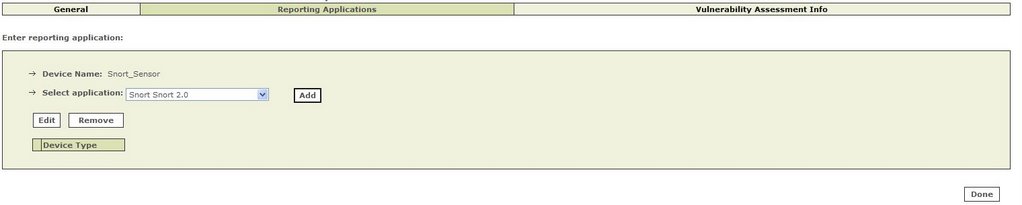
And define Snort as a reporting application.


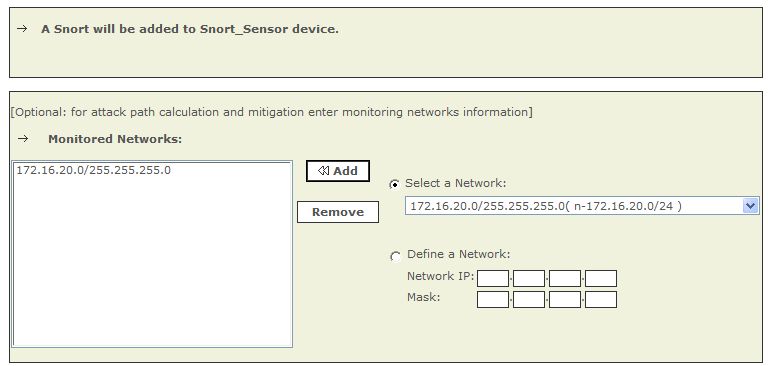
And specify the networks we are going to monitor.

And thats all that needs to be done! Submit and Activate and we are ready for MARS to start processing Snort events.

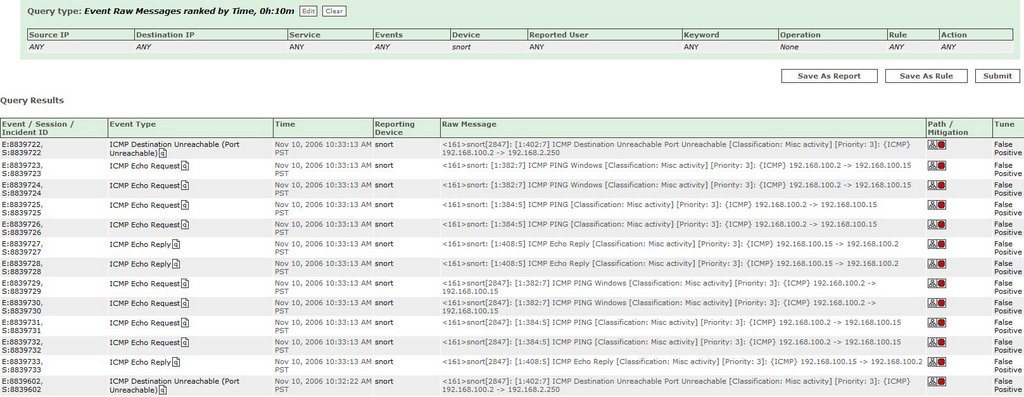
How can we check we are receiving events from our Snort sensor?

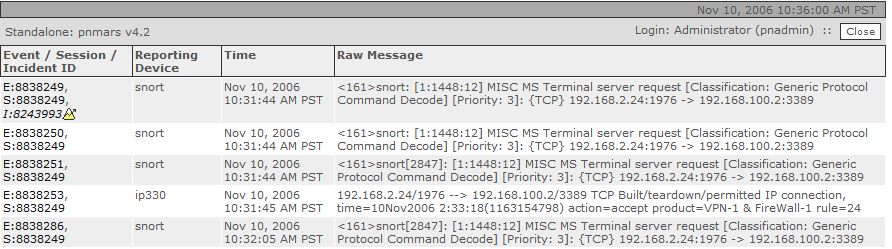
We can simply run a RAW Event Messages query, with just our Snort devices selected, over time or in real time, and see the events flowing in.


Snort Events

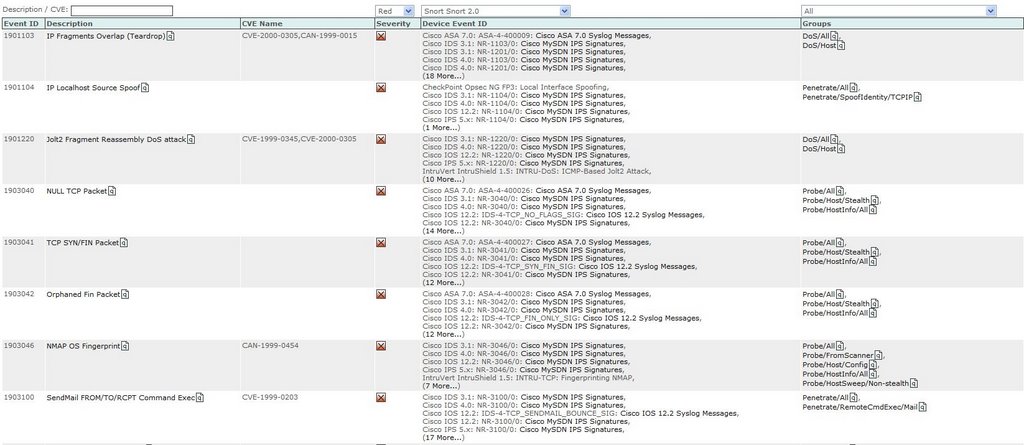
MARS knows about a whole range of Snort Events, a sample is shown below, which MARS will use to fire Incidents.


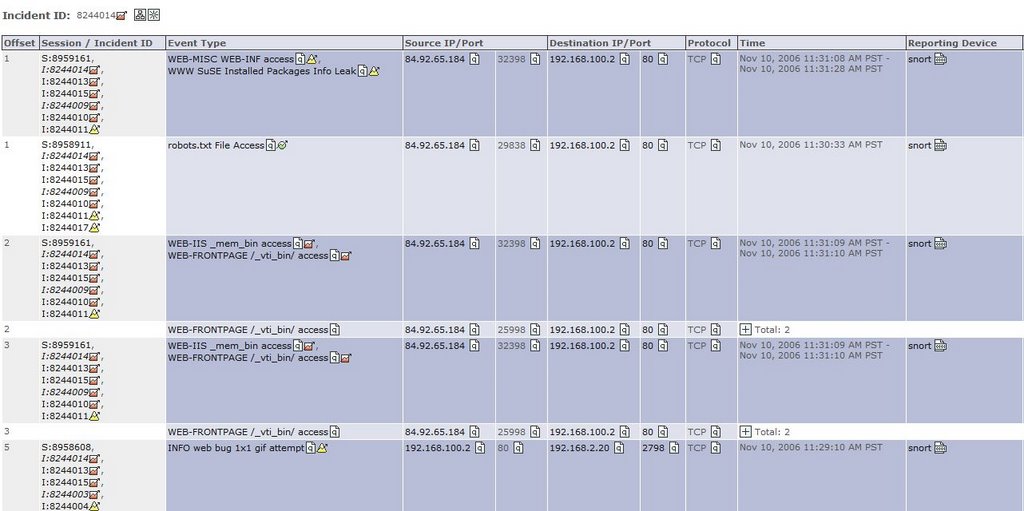
Incident Example 1 - MARS correlates the data from Snort and also a FW, to generate and fire an Incident for further Investigation.

An Incident was Fired by CS-MARS

The Rule that was Matched, to Generate the Incident (note the Reporting Device)


The Snort Raw Event Message (note Correlation from another FW device)

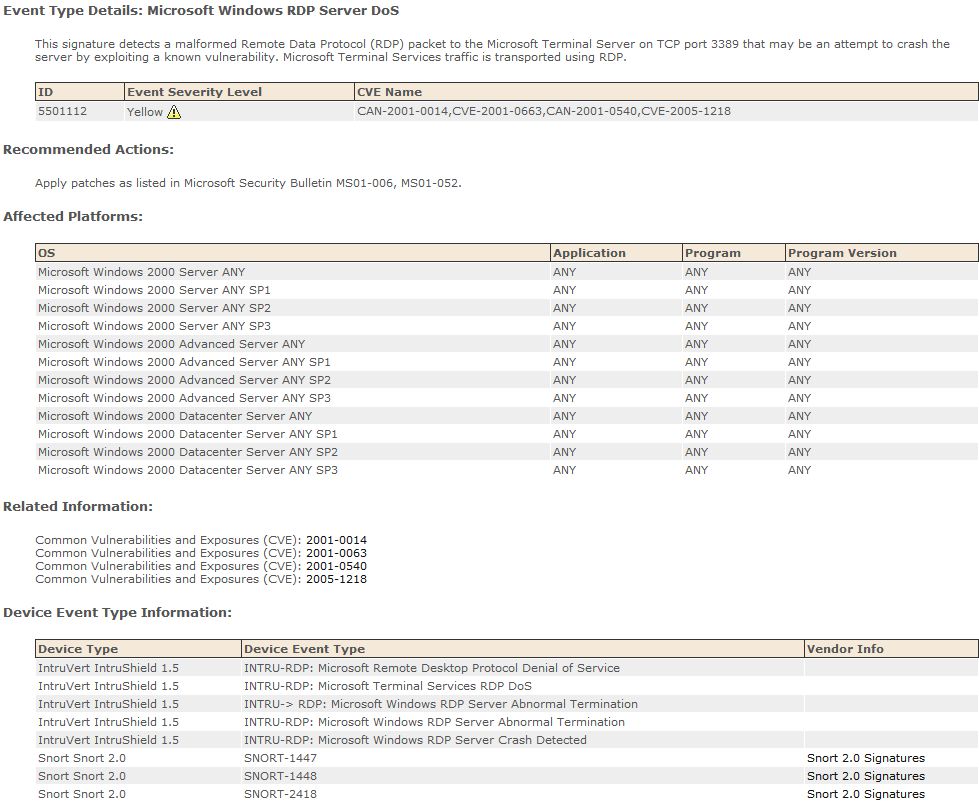
And Finally the Known MARS Event Info


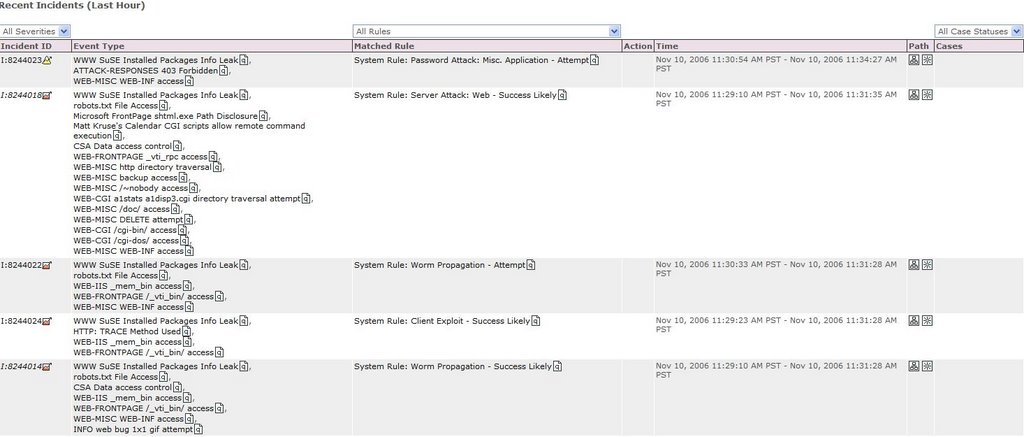
Incident Example 2 - Web Server Attacks

Incidents were fired by CS-MARS


The Rule that Generated the Incident


And the Correlated Sessions that relate to this Particular Incident


CS-MARS Reporting

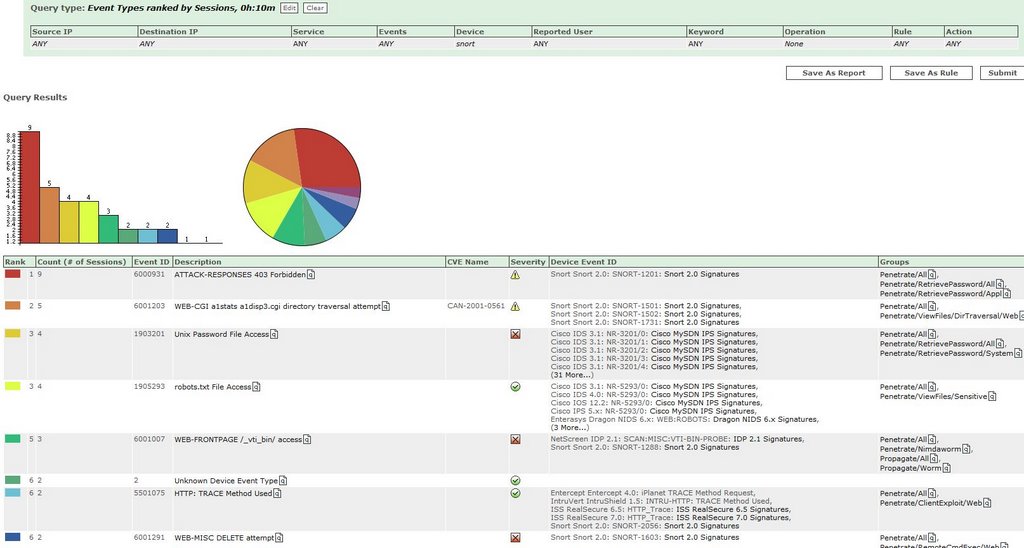
Like with any other reporting device in MARS, we can run queries and reports against the data we have collected.


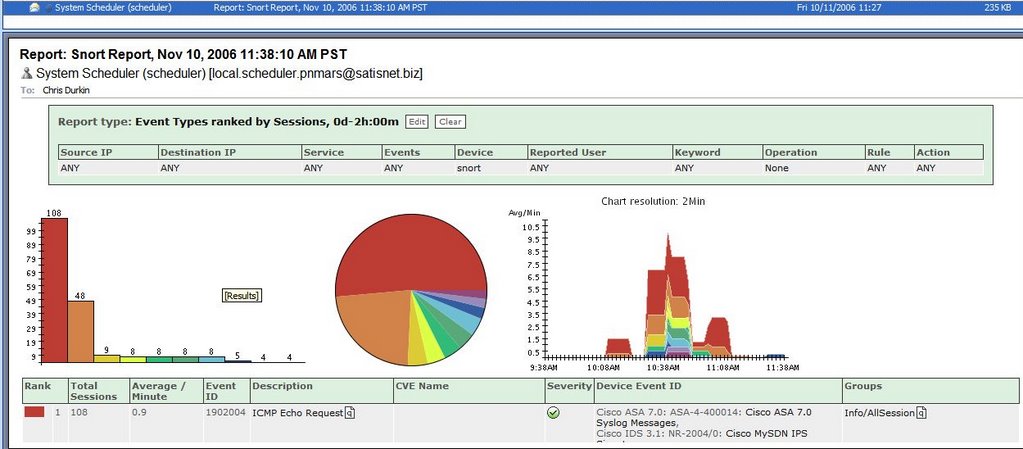
And have these reports emailed to certain individuals by the CS-MARS appliance.


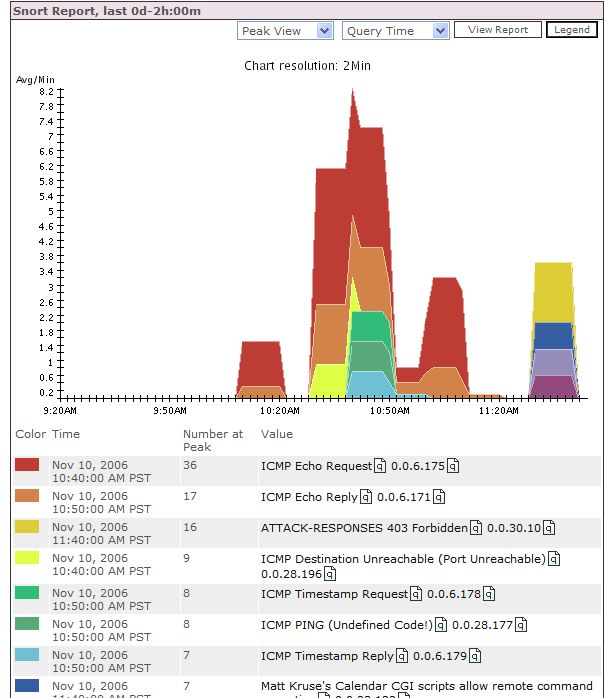
And finally use these reports on the CS-MARS dashboard.


What I haven`t shown here is the ability to create drop rules and tune your false positives generated by the Snort sensors, although this can be done on the Snort sensors themselves.

As hopefully shown, using CS-MARS is an ideal platform for reporting from your Snort sensors, and a great low-cost IDS/IPS solution to add to your network.


Monday, November 13, 2006

CS-MARS reporting with McAfee ePO

I had chance last week to test MARS with McAfee ePolicy Orchestrator. I only had time to play around with the Virus functionality, but i plan to test further with the Patch and Compliance pieces too.

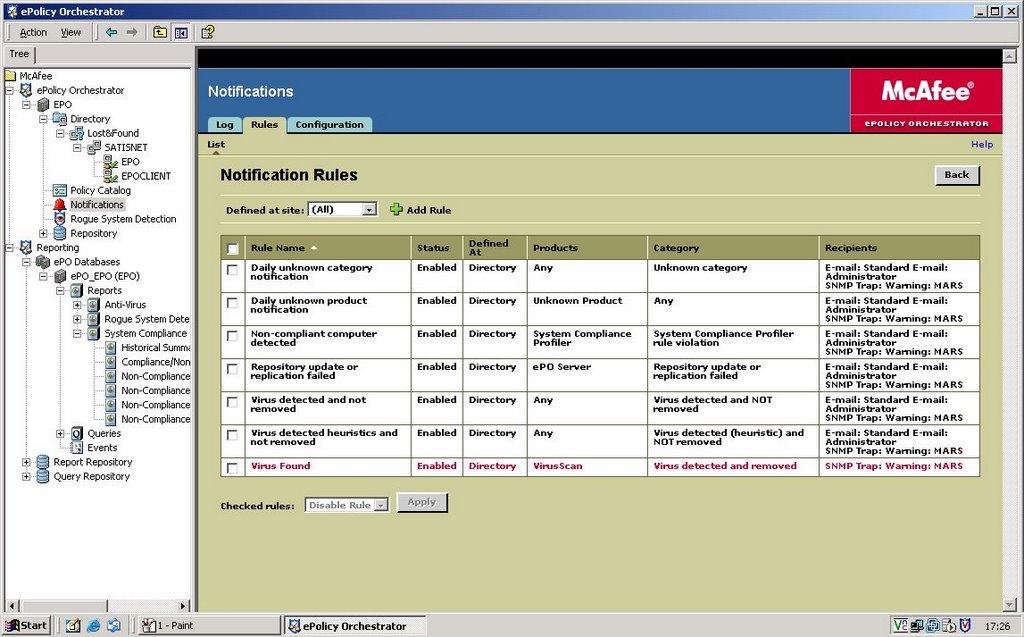
Basically McAfee ePO is set as a reporting device to MARS via SNMP alerts.


The Alerts are customisable via the McAfee Console.

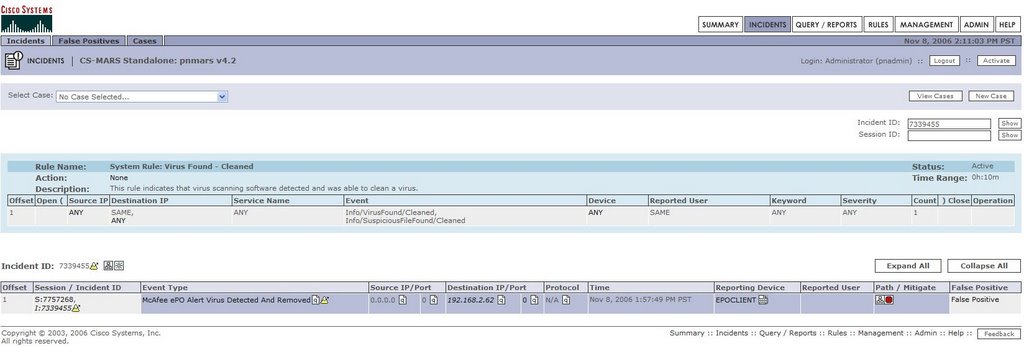
MARS takes these alerts to fire Incidents, which could be as simple as a Virus Found and Cleaned as below, or a Worm Traversing the network for multiple alerts.


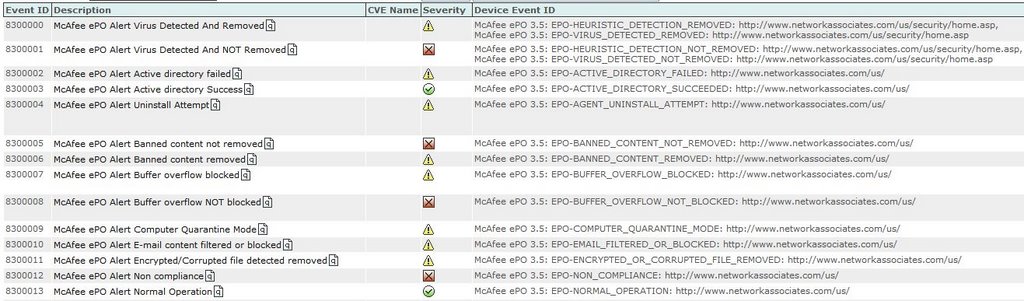
Now MARS can fire Incidents not just for Virus Events received from ePO. If you look at the shots below, ePO is far from just an AV product, and there are other McAfee products that can report into the ePO console.


and more..........


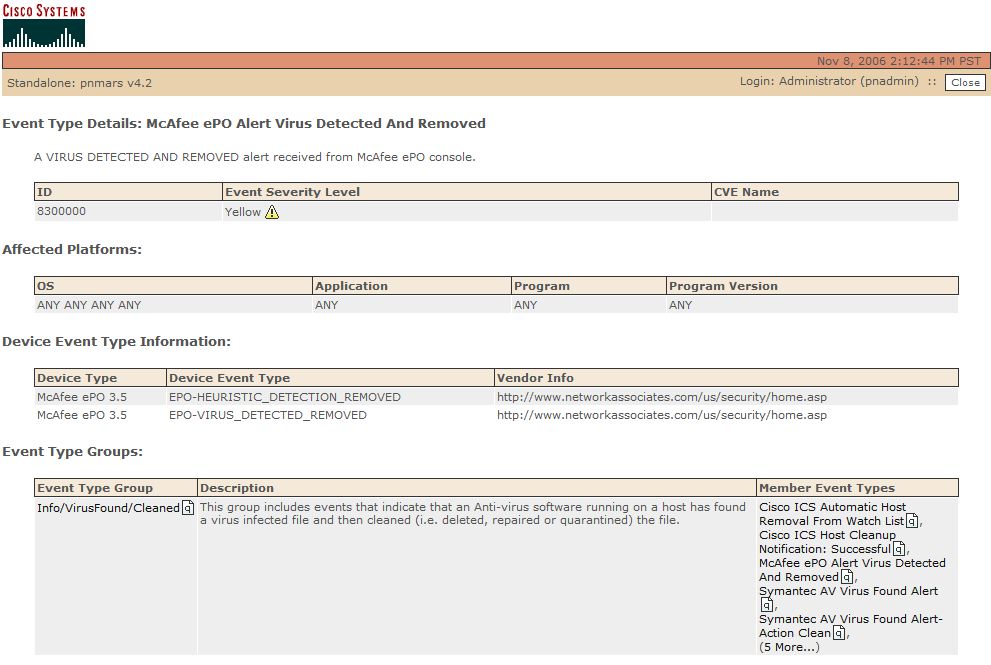
MARS holds event information for all these Alerts, as pictured below.

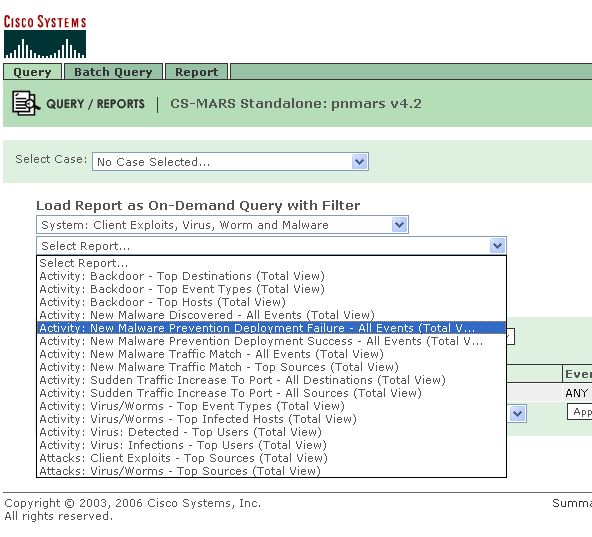
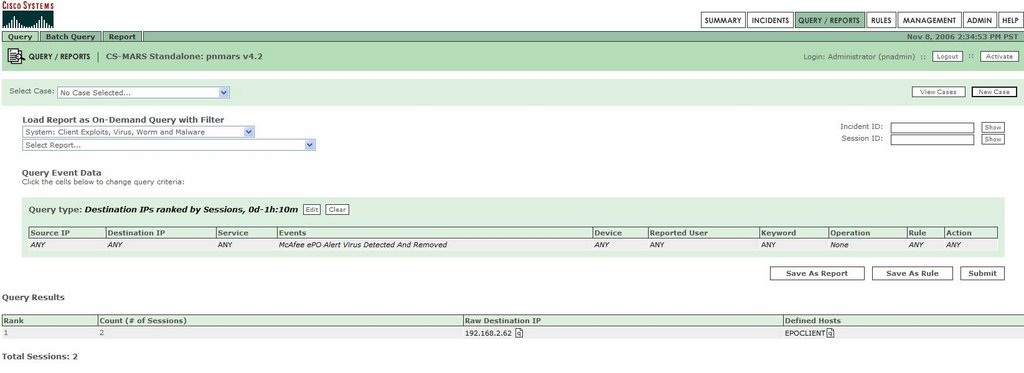
Now one of the biggest features of MARS is its reporting functionality. MARS has a list of predefined reports that can be run on the fly or scheduled, in this case under the heading of Client Exploits, Virus, Worm and Malware.

Or we can create our own queries.


In the Book "Security Threat Mitigation and Response", the Author states..

"Antivirus server logs and queries - CS-MARS can use this information to determine the host OS and patch levels. "

As i said earlier, i plan to investigate more with the McAfee solution, and more specifically testing Patch levels on hosts, and reporting this info into MARS.

Monday, November 06, 2006

Cisco MARS and PCI Compliance

The Payment Card Industry (PCI) Data Security Standard is applicable to all enterprise, SMB, and retail organizations that handle credit card transactions. Businesses of all sizes are responsible for complying with the PCI Data Security Standard.

Any company that stores, processes, or transmits credit card information is required to comply with PCI. The PCI standard was created by major credit card companies VISA and MasterCard. These companies have specific programs, such as VISA CISP and MasterCard SDP, which are based on the PCI standard. Other credit card companies have adopted the PCI Data Security Standard as well, such as American Express, Diners Club, and Discover.

How Can Cisco MARS help with complying with the PCI Data Security Standard?

MARS helps to meet some of the criteria needed. There are a couple of Requirements in the PCI Draft, namely Requirements 10 and 11, that MARS can provide a solution for.
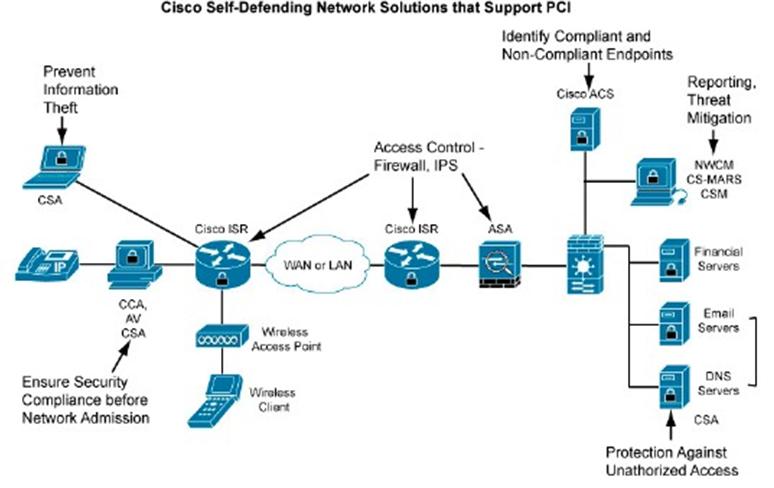
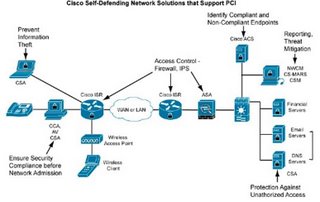
I have detailed the PCI Requirements below, and reproduced Cisco views of how it meets those requirements, (with some sections relating to MARS plus A.N.Other Cisco Product to meet the requirement)
Links to the Cisco Website, and some great Whitepapers are also provided below..


Regularly Monitor and Test Networks

PCI Requirement 10: Track and monitor all access to network resources and cardholder data.

Logging mechanisms and the ability to track user activities are critical. The presence of logs in all environments allows thorough tracking and analysis if something goes wrong. Determining the cause of a compromise is difficult without system activity logs.

Sub-requirements:

10.1 Establish a process for linking all access to system components (especially those done with administrative privileges such as root) to an individual user.

10.2 Implement automated audit trails to reconstruct the following events, for all system components:

10.2.1 All individual user accesses to cardholder data

10.2.2 All actions taken by any individual with root or administrative privileges

10.2.3 Access to all audit trails

10.2.4 Invalid logical access attempts

10.2 5 Use of identification and authentication mechanisms

10.2.6 Initialization of the audit logs

10.2.7 Creation and deletion of system-level objects

10.3 Record at least the following audit trail entries for each event, for all system components:

10.3.1 User identification

10.3.2 Type of event

10.3.3 Date and time

10.3.4 Success or failure indication

10.3.5 Origination of event

10.3.6 Identity or name of affected data, system component, or resource

10.4 Synchronize all critical system clocks and times.

10.5 Secure audit trails so they cannot be altered:

10.5.1 Limit viewing of audit trails to those with a job-related need.

10.5.2 Protect audit trail files from unauthorized modifications.

10.5.3 Promptly back up audit trail files to a centralized log server or media that is difficult to alter.

10.5.4 Copy logs for wireless networks onto a log server on the internal LAN.

10.5.5 Use file integrity monitoring and change detection software (such as Tripwire) on logs to ensure that existing log data cannot be changed without generating alerts (although new data being added should not cause an alert).

10.6 Review logs for all system components at least daily. Log reviews should include servers that perform security functions like IDS and authentication (AAA) servers (RADIUS, for example).

10.7 Retain your audit trail history for a period that is consistent with its effective use, as well as legal regulations. An audit history usually covers a period of at least one year, with a minimum of three months available online.

Cisco Recommendations to Requirement 10.

The PCI Data Security Standard (Requirement 10) states, “The presence of logs in all environments allows thorough tracking and analysis when something does go wrong. Determining the cause of a compromise is very difficult without a system activity log.”

The Cisco Secure ACS Server in conjunction with CS-MARS can provide extensive information on access to network resources and cardholder data. Cisco Secure ACS authenticates, authorizes, and provides accounting information on usage parameters.

Cisco Secure Monitoring Analysis and Response System is a logging tool that stores all logs from a multitude of different vendors. In addition, CS-MARS is particularly strong at incident response once a security event occurs. For instance, it can provide early warning indicators, attack visualization, and mitigation recommendations to control security attacks. CS-MARS is a next-generation tool that meets all of these requirements and morel. The ability to visualize an attack and suggest methods

to stop its spread are indicative of the correlative intelligence that CS-MARS brings to a multi-vendor environment. In addition, sub-requirement 10.5.5 for file integrity checking of log files can be addressed with Cisco Security Agent.


Regularly Monitor and Test Networks

PCI Requirement 11: Regularly test security systems and processes.

Vulnerabilities are continually being discovered by hackers and researchers, and introduced by new software. Systems, processes, and custom software should be tested frequently to ensure security is maintained over time and through changes.

Sub-requirements:

11.1 Test security controls, limitations, network connections, and restrictions routinely to make sure they can adequately identify or stop any unauthorized access attempts. Where wireless technology is deployed, use a wireless analyzer periodically to identify all wireless devices in use.

11.2 Run internal and external network vulnerability scans at least quarterly and after any significant change in the network (new system component installations, changes in network topology, firewall rule modifications, or product upgrades, for example).

Note: External vulnerability scans must be performed by a scan vendor qualified by the PCI.

11.3 Perform penetration testing on network infrastructure and applications at least once a year and after any significant infrastructure or application upgrade or modification (operating system upgrade, subnetwork added to environment, Web server added to environment, for example).

11.4 Use network IDSs, host-based IDSs and IPSs to monitor all network traffic and alert personnel to suspected compromises. Keep all intrusion detection and prevention engines up to date.

11.5 Deploy file integrity monitoring to alert personnel to unauthorized modification of critical system or content files, and perform critical file comparisons at least daily (or more frequently if the process can be automated). Critical files do not necessarily contain cardholder data. For file integrity monitoring purposes, critical files are usually those that do not regularly change, but the modification of which could indicate a system compromise or risk of compromise. File integrity monitoring products usually come preconfigured with critical files for the related operating system. Other critical files, such as those for custom applications, must be evaluated and defined by the merchant or service provider.

Cisco Recommendations to PCI Requirement 11

The Cisco Customer Advocacy team is comprised of dedicated industry professionals with extensive expertise in conducting unbiased security posture assessments, penetration testing, and vulnerability scanning. Cisco would be pleased to engage this team in this process.

The Cisco Customer Advocacy team would help address sub-requirements 11.1 through 11.3.

The Cisco secure router already includes intrusion prevention capabilities. Customers can deploy IDS or IPS signatures to the router without the need for an additional IDS or IPS appliance. This helps address sub-requirement 11.4. This pervasive IDS/IPS solution will

control attacks for both wired and wireless users. In collaboration with CS-MARS, identified threats can be quickly stopped network wide.

When CS-MARS recognizes an attack, it will automatically propagate or enable the appropriate attack signature in every Cisco secure router equipped with the integrated intrusion prevention capability, quickly isolating and preventing the spread of the attack.

For customers requiring more powerful IDS/IPS appliances, Cisco recommends the Cisco IPS 4200 Series of sensor appliances. The Cisco IPS 4200 Series greatly increases the scalability and throughput of the security solution. Cisco also provides intrusion detection and prevention modules for the Cisco Catalyst 6500 Series. This illustrates the ability of Cisco security solutions to integrate natively into the infrastructure. The advanced intrusion prevention capabilities supported by Cisco IPS 4200 Series dedicated IPS appliances are also integrated into the Cisco ASA family.

The host-based Cisco Security Agent IPS tool can mitigate the threat from worms and viruses and can assist with file integrity checking as defined in Section 11.5.


Managing Risk and Compliance with the Cisco Self-Defending Network

Managing Risk and Compliance with the Cisco Self-Defending Network - EMEA

Cisco Self-Defending Network Support for PCI Data Security Standard

Addressing the PCI Data Security Standard


Thursday, October 19, 2006

Normal or Italic Text?

Well this one may seem really obvious, but it confused me for a few minutes.

If when you look at an Incident or Session, you see some Source or Destination addresses in Italic Font, where as the rest are in Normal Font. What does this mean?


Well its dead simple! It means you have already looked at that Particular Source or Destination IP`s Static/Dynamic Info for that particular Session. Like a visited link on a webpage. Doh!!

Try it out, if you haven`t noticed it already.

Monday, October 16, 2006

CS-MARS Database Info

CS-MARS Database Info

The CS-MARS appliance uses an Oracle 9.2i Enterprise database. The database is fully licensed for operation on the appliance and requires no administration whatsoever; therefore, it is completely self-sustaining.

CS-MARS Database Structure

You will not find much info about the database anywhere, as it looks like a Cisco secret, but searching blogs, and reading the Cisco Press book below, here is what we have come up with.

Each CS-MARS appliance has its own database storage requirements.

The actual event-data storage is alot smaller than the Total Storage available to each appliance. The remainder of the storage is used for other database on the box, that comprise configuration files, reports, vunerability data etc..

There were also a couple of vunerabilities in the Oracle database earlier this year, in how to modifiy the "expert" username and password to get root access to the appliance. Thank fully these have been fixed now, if you are running the later releases.
Mars Appliances Events Storage and Total Storage
(reference Cisco Security MARS - Cisco Press)


When storing event data in its database, CS-MARS stores it in its raw format, uncompressed, using a first-in, first-out (FIFO) approach. When the 77 GB of storage is reached in a M20, it wipes out the oldest day (database) of event data. This data is lost if you are not archiving the data. This process allows CS-MARS to have room for event data in case a network infection or an attack happens.

How do we view the amount of storage being used on our MARS appliance?

SSH into the box and run the command "pndbusage" This will give a result similar to below...

[pnadmin]$ pndbusage
Current partition started on Tue Aug 8 00:41:54 BST 2006 and uses 30.7% of its available capacity.
Switching to next partition is estimated for Thu Mar 22 18:23:29 GMT 2007.
9 empty partitions are available for storage

This command displays the percentage used within the current partition, as well as specifies whether additional partitions are available. If no unused partitions exist, the command identifies which partition will be purged, provides an approximate schedule for when that purge will occur, and specifies the date range and total number of events scheduled to be purged.

If the database was full, then you would get an output similar to this...

Current partition started on and uses % of its available capacity.
Switching to next partition is estimated for events, received between and will be purged.

A word of warning if you are running CS-MARS 4.2.1, that there was an open caveat, for this, as detailed below...

Reference Number: CSCse54808

Issue: The time stamp shown by the pndbusage command is incorrect

Description: Two consecutive uses of the pndbusage command display a different current partition starting time.

Workaround: None.

So if you have a very busy network, please make sure you size your CS-MARS box accordingly (ask your Cisco Account Rep, to size the box), and also think about using the Archive Feature.

There is a new event since v4.2.1, CS-MARS DB partition filling up causing the next partition to be purged soon, notifies the administrators when the current partition is 75% full and switching to the next partition will result in data being purged from a previously used partition.

The system inspection rule and report allow you to monitor when this event fires. The inspection rule is System Rule: CS-MARS Database Partition Usage, and the report is Resource Utilization: CS-MARS-All Events.

Tuesday, October 10, 2006

Cisco Security Manager - Policy Table Lookups

MARS can be configured to do Policy Table Lookups from Cisco Security Manager.

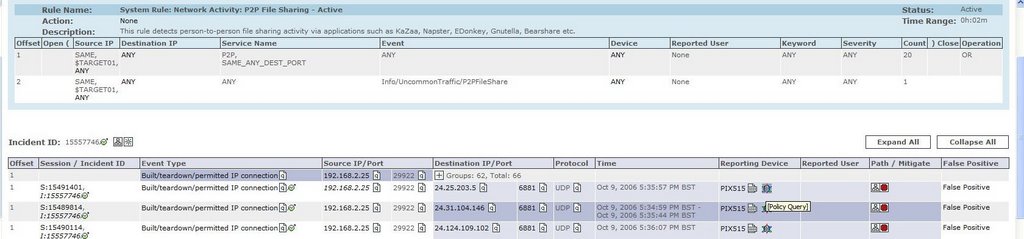
What does this mean? Well, when your MARS box receives a syslog from a Cisco PIX/ASA/FWSW/IOS device, and this event is sessionized, you will get a new "Security Manager Policy Table Lookup Icon" in the Reporting Device column..

If we click on this icon, then we can invoke a query to our Cisco Security Manager installation, and this will identify the access rule of the device, which created the incident.

Obviously looking at the raw event messages from the device would show the access-list, but not the particular entry in that list.

Prerequisities for Policy Table Lookup

MARS Local Controller running 4.2.1 or above
Cisco Security Manager v3.0.1 or above

See the example below...

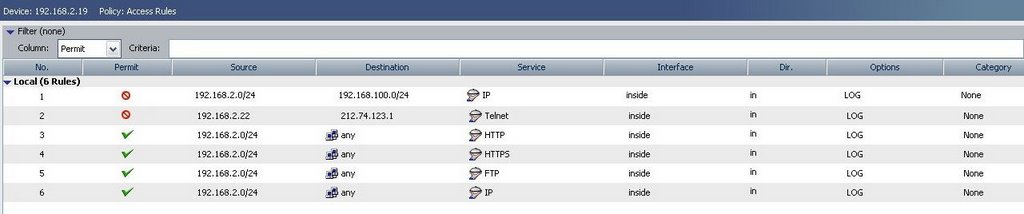
We have a Cisco PIX being managed via the Security Manager, and have created some noddy access rules.


We have defined the CSM as a reporting device in MARS, and we are ready to go!

1) Log onto MARS as the Admin or Security Analyst Role

2) Identify the Incident


3) Click the Security Manager Policy Query Icon in the Reporting Field, to invoke the Cisco Security Manager Policy Table Lookup.

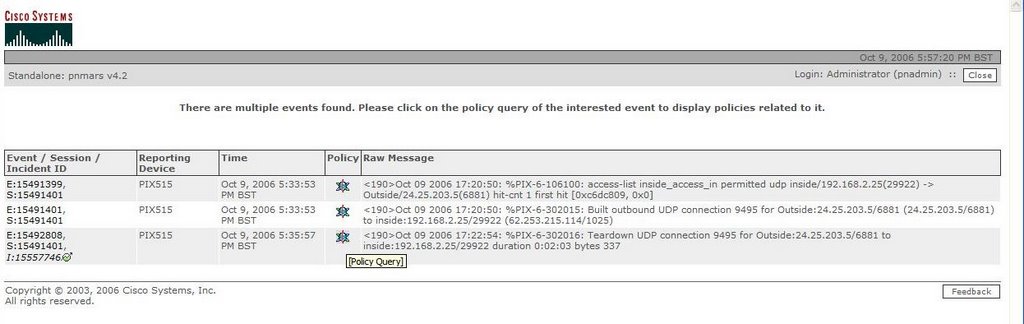
It is important to note here, that there are 3 pop-ups that can now appear, depending if there are mulitple events/devices that match the criteria.

a) Multiple Events Window (Shown) - Lists all the Security Manager device events, in the session

b) Multiple Devices Window - Lists all the matching SM devices that meet the criteria available to MARS

c) The Policy Table Window, shown when there is only one event, and a unique SM device indentifed.


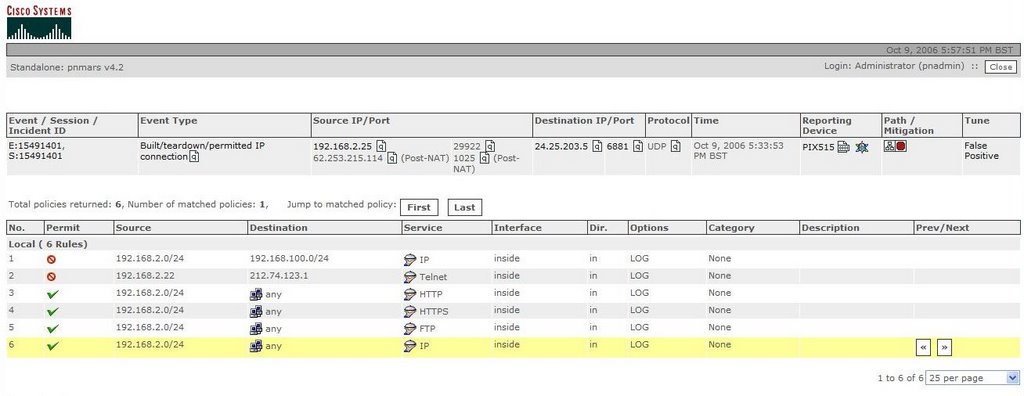
4) Finally the Lookup Table is shown, and as can be seen the Access Rule on the device has been identified.


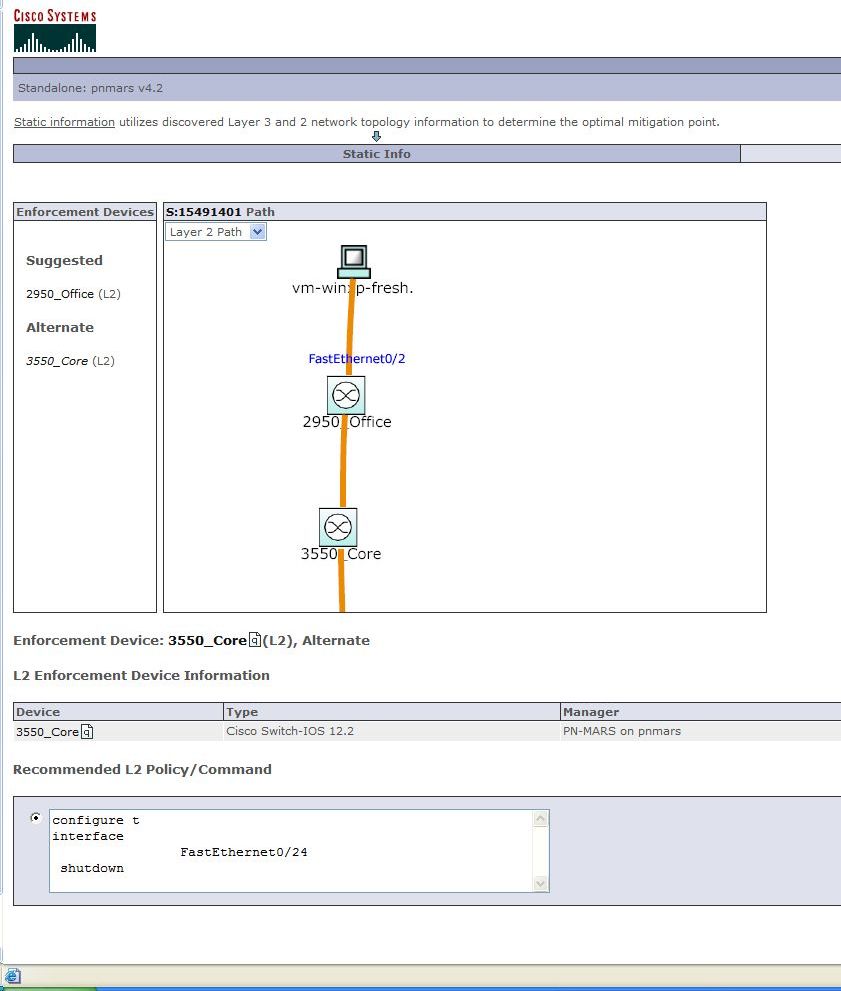
5) Finally we are offered advice on Mitigation, if we click the button, but remember the devices in CSM are Layer3 devices, so we cannot PUSH the configs. Any changes would need to be done MANUALLY on the device or via CSM.


Change Management i think its called!

Tuesday, September 26, 2006

MARS Incident Views

Another new feature of the 4.2.2 release, is the ability to slim down the incident view, to the last hour, day, week, year etc, again by severity if required.


Monday, September 25, 2006

Viewing Raw Data in Real-Time

Another question i get asked is "How can i view the raw data coming into my MARS appliance for a certain device?"

Well this is easy to configure, via a Query.

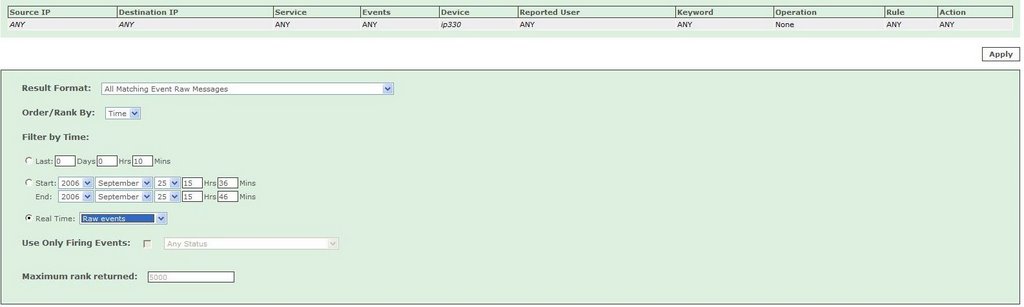
1) If we first select a device to monitor, on the Query screen
2) Now we need to Edit the Query Type, and select the Result Format as: "All Matching Event Raw Messages"
3) And finally select "Real Time" : Raw Events.


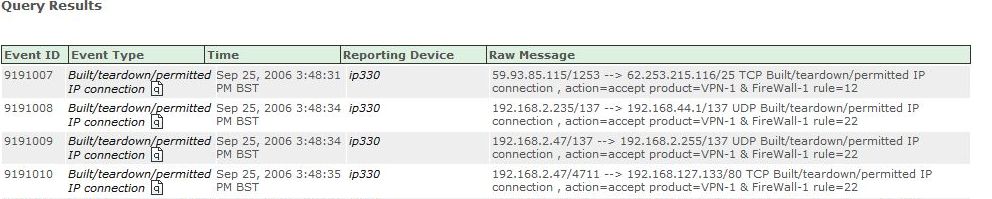
Now when we submit, we will watch in real time, all the raw events arriving from your selected device or devices.


Quite a cool feature i think!